
The agents work the night shift. You sign off in the morning.
I build AI automation for small teams: browser work behind logins, n8n and ClickUp flows, computer-use agents and local media generation. Every run leaves a log, and nothing that sends, publishes or deletes goes out without your OK.
What changed in 2026
Back to Claude, and all in this time.
For most of the year my agents ran on OpenAI models through Hermes, ending on GPT-6. Then Claude Opus 5.5 got so good that I moved every device back to Claude. One model I trust now does the planning, the coding and the operating, and second opinions come from a fresh Claude agent instead of a different vendor.
-
Jun – Sep 2026
The GPT and Codex era
Hermes agents on GPT-5.5, GPT-5.6 and GPT-6 ran my publishing pipeline and coding work.
-
2 Oct 2026
Claude Code goes on Telegram
A Claude Code hub on my PC starts taking work from a Telegram group.
-
22 Oct 2026
Claude only
No Gemini, ChatGPT or DeepSeek in the loop. One model across every device.
-
29 Oct 2026
Last Hermes agent retired
Its projects moved to Claude Code. Everything below runs on this setup today.
The rig
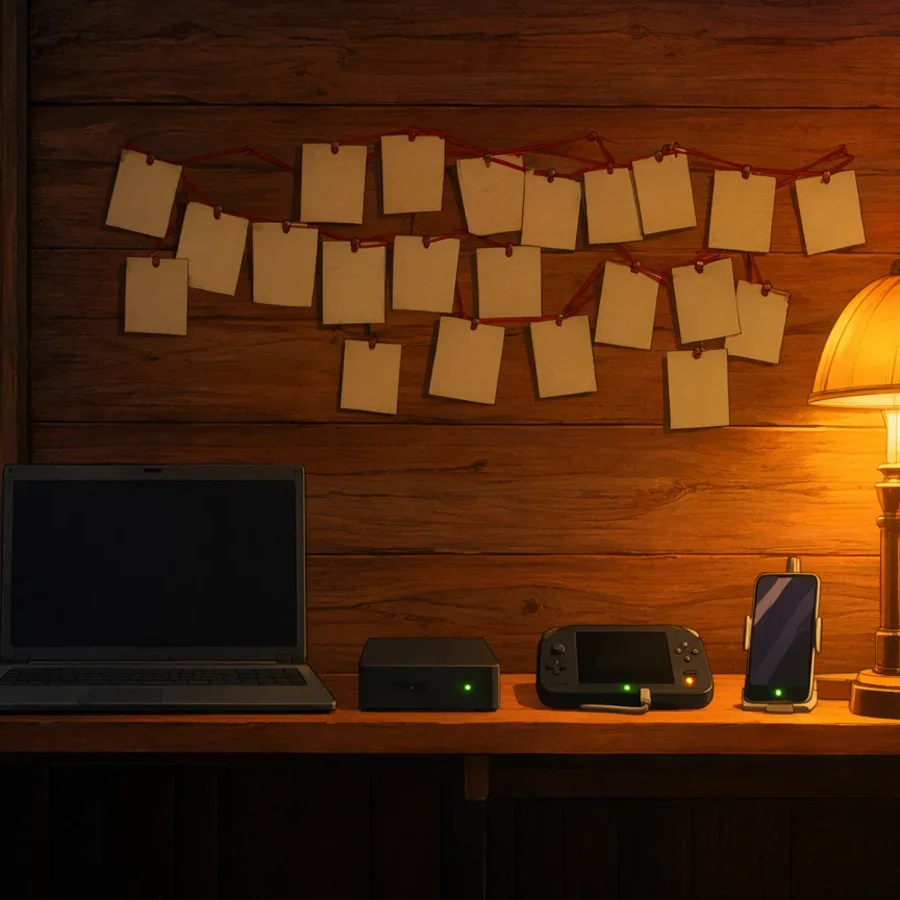
Four devices, one Telegram group, one shared memory.
This is the system I built for my own work, and the same pattern I set up for clients at a smaller scale.
- Claude Opus 5.5
- Plans, codes and operates on every device through Claude Code.
- Telegram hub
- One group with a topic per project and one bot per device: a Windows PC, an always-on mini PC, a ROG Ally handheld and an Android phone. Devices hand work to each other on a shared handoff board.
- AgentVault
- A wiki of about 800 linked pages that every agent reads before it starts and writes back to when it finishes: decisions, gotchas, project pages and automatic session journals. It syncs through GitHub and never holds secrets.
- Approval gate
- Typing and navigating run on their own. Anything that saves, sends, submits, deletes or touches a password asks me first on Telegram, and every decision is logged.
- Media box
- One RTX 3070 Ti with 8 GB running ComfyUI locally for images, video and voice.
Project Dispatch
Every project on one board, today.
A small local board reads its cards straight from the wiki, so it keeps working even without Claude. Each card shows its device, stage and next step, and opens its Telegram topic in one click.
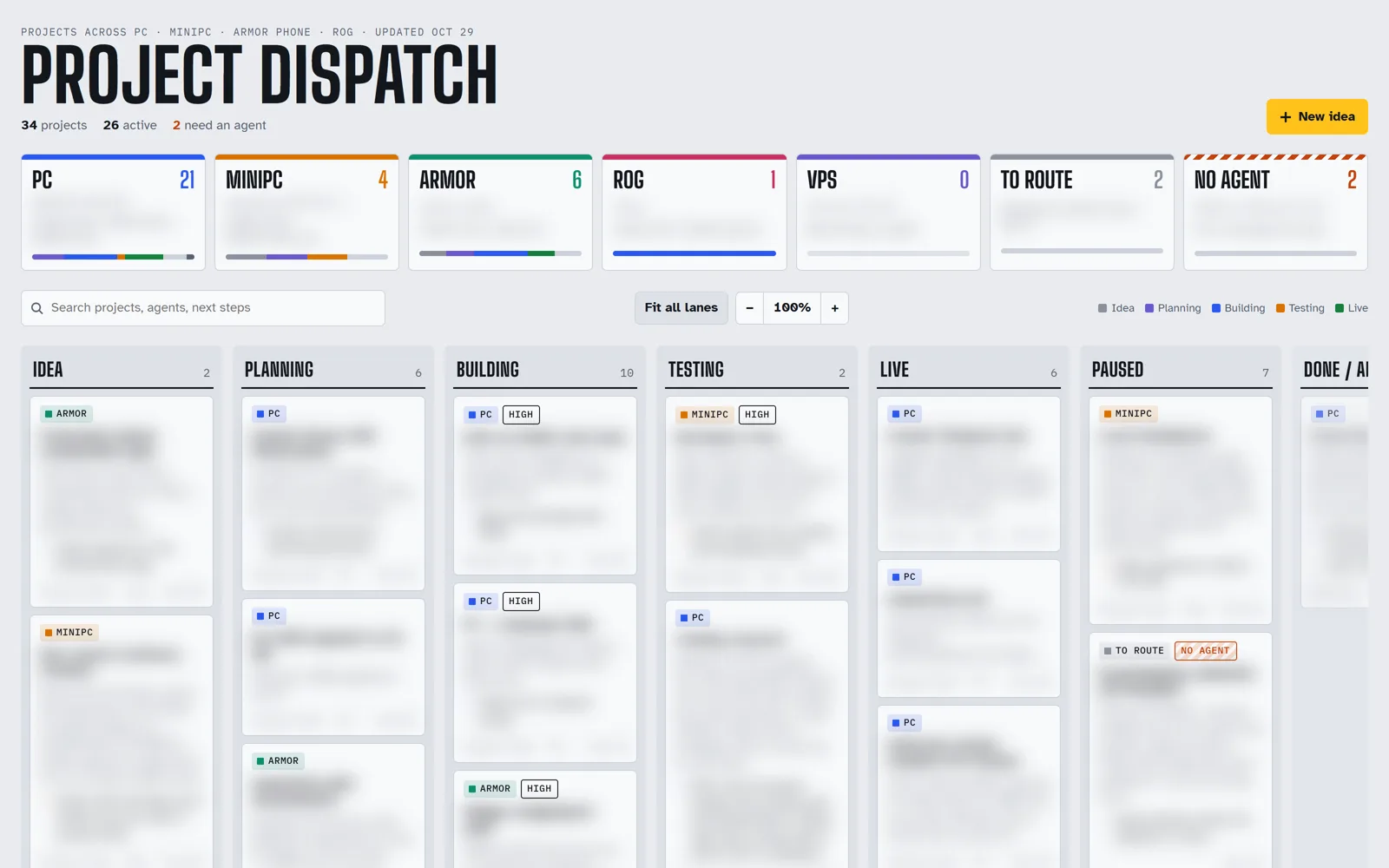
Project Dispatch on 29 October 2026. Card details are blurred because they include client work.
- 34projects on the board
- 4devices running agents
- 19project topics on Telegram
- ~800wiki pages of shared memory
Work I take on
Bring a task you do by hand every week.
Each engagement ends with something you can run and check yourself: the workflow, its log and a short runbook.
-
Browser work behind logins
You hand overThe site, a safe way to log in, and what "done" looks like.
You get backA Playwright or agent run with screenshots, retries and a log. Reliability checklist
-
n8n and ClickUp flows with approval gates
You hand overThe manual process, the tools it touches and who signs off.
You get backWebhook flows with a human checkpoint before anything goes out, plus error handling and monitoring. How approval gates work
-
Computer-use agents
You hand overA job with no API, where selectors keep breaking.
You get backAn agent that operates the screen inside the same approval gate, with a runbook for when it should stop and ask. What to automate first
-
Content and SEO/GEO pipelines
You hand overYour sites, topics and review rules.
You get backResearch, drafting, images and publishing with live checks, backups and rollback. I run one across my own seven sites, and a release that fails a check drops back to review-only.
-
Local media generation
You hand overA page, product or campaign that needs visuals or voice.
You get backImages, short clips and voice lines made on my own GPU, fitted to the page. See the studio
-
Architectural visualization
You hand overPlans, site photos, references and what the place should feel like.
You get backDesign versions and renders, iterated by conversation: Claude drives Blender, 3ds Max, Revit and Maya over MCP. Hoi An house case study: 11 versions, 470+ renders
Media studio
Images, video and voice from one 8 GB card.
Everything runs in ComfyUI on my own machine, one heavy job at a time. The illustrations on this page came from it.
Image
MOSS-Image for stills, about 22 seconds a picture, and Krea 2 for look frames and edits.
88 illustrated vocabulary cards and a picture-book UI for a kids' voice robotVideo
LTX 2.5 image-to-video, about 5 to 7 minutes per short clip.
41 motion loops · a 9-second film-graded product clip for a pottery brandVoice
A fine-tuned Vietnamese voice model for a cloned child voice, plus a neural English voice.
1,188 voice lines in two voicesCompositing
ffmpeg and small scripts for the parts models get wrong: exact object counts, a real logo pressed into video frames, film grade, upscale and web encodes.
QA contact sheets before anything shipsI check model licences for every job. Some models I use on my own projects are non-commercial or capped by revenue, so client work only uses models that allow it.
How a job runs
You stay the one who presses send.
The agents do the slow parts overnight. Anything that leaves your business waits for you.
Brief
Send the task on Telegram, WhatsApp or email, with the tools and logins it touches.
Plan
I write the plan down, including which steps need your approval.
Run
Agents do the work and keep logs and screenshots of each run.
Approve
Sends, posts, payments and deletions wait for your OK.
Guides
Field notes from real runs.
Practical checklists for small teams. All guides · Service details

Contact
Bring the task. I'll bring the night shift.
Telegram or WhatsApp is fastest for briefs and handoffs.
- Telegram@nguyenlnp
- WhatsApp / phone+84 914 859 234
- Email[email protected]
- Instagram@nguyenlnp